In this lesson we're looking at a common vein found running right throughout the FX world. Contrast in animation timing is meant to trick the eye and so is used for impact.
The best place to see this is in effects like flashes and explosions, but can be used in water, dust, light, props and even characters - I'll explain more about that in a sec.
You may remember that we touched on contrast in the lightning lesson. The flickering, not only of the white card against black, but also of chaotic shapes, gives the effect a feeling of sudden, unexpected impact.
In animation timing, the method of adding impact is to use contrasting shapes, colours, movement, or all of these in rapid succession. The operative word here is "rapid". Contrast for impact works best in a very short duration on single frames, as you'll see in the coming examples.
The other type of contrast we're looking at in this lesson is staging. This isn't a timing thing but a compositional thing, where for example we contrast a character against a background, or the use of theatrical lighting to make a shot work.
Visual artists in all fields use contrast as a means of highlighting action, or drawing the focus of the audience to a specific place. From the spotlight on a stage, to a specially shaped forest backdrop that frames the action. Unimportant scene elements are used to surround the important bits, essentially saying, "hey audience, look here!"
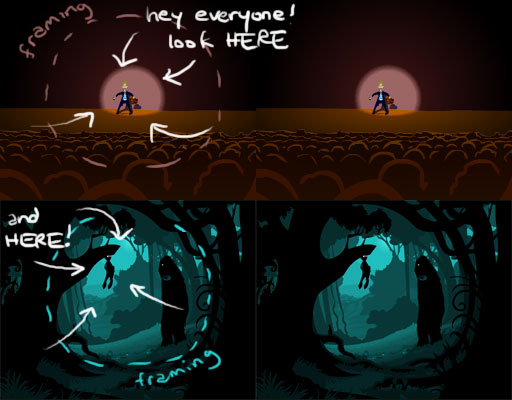
Fig. 1 - Contrast used to draw the viewer's eye to a specific place
In Figure 1 (above), it's obvious that light and dark play an important role. In the forest examples, the action is a black silhouette against a relatively light area on the background. The contrast is stylised and striking. For the less stylised stage example, the character is wearing a dark suit against a bright area of curtain.
 When you set up your scene, think about the
composition, where the action will take place, which action will be hidden
and most of all where you want - or where you expect - the audience to be
looking. For example, it's no use making amazing fire effects if the sun is
setting behind the flames. Composing the shot carefully is just as important
as animating the effects carefully.
When you set up your scene, think about the
composition, where the action will take place, which action will be hidden
and most of all where you want - or where you expect - the audience to be
looking. For example, it's no use making amazing fire effects if the sun is
setting behind the flames. Composing the shot carefully is just as important
as animating the effects carefully.
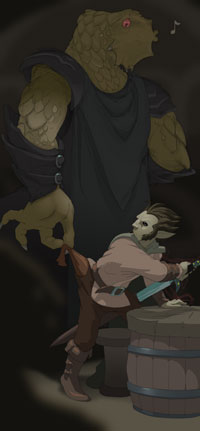
Figure 2 (left) is a fairly obvious silhouette style of framing, but notice the eye is drawn to two areas. First, the obvious seated figure. Next however, the eye is drawn to the smaller highlighted element; the knife.
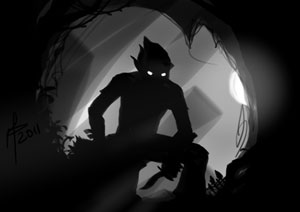
Figure 3 (right) is an overall dark scene, but the important elements are brighter. Just like a stage spotlight, it's a selective highlighting of places I want the audience to look. You could pretty the scene up with faces in the crowd, a window with moonlight, or a warm tavern fireplace, but those would be distracting from the important parts.
One of the most enduring timing methods for impact is the medium-small-big sequence. "MSB" is a simple reminder for your sequence of drawings, shapes or colours. Generally, you'll apply this formula to the beginning of the frame sequence, then the effect resolves and dissipates naturally. Burn it into your memory. As an FX animator, it's quite likely you'll use it every day of your life.
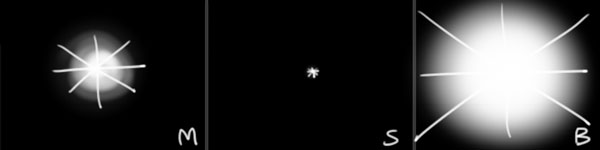
Fig. 4 - Medium Small Big formula for impact
Here's a vivid, illustrative example. A simple flash is the perfect way to demonstrate impact in timing because we've all "experienced" the physical effects of a camera flash, or a lightning flash. It's jarring. Almost makes you jump. Even if you are expecting it, you wait for it... wait for it... FLASH! It can still make you jump.
Unexpected visual impact has a physical effect on you, and when you're talking about animation, that's an extremely powerful tool.
Let's first look at a flash without the impact formula. On the right is the animation of the left-side sequence . As you will see, without the impact sequence formula, the flash simply appears to grow.
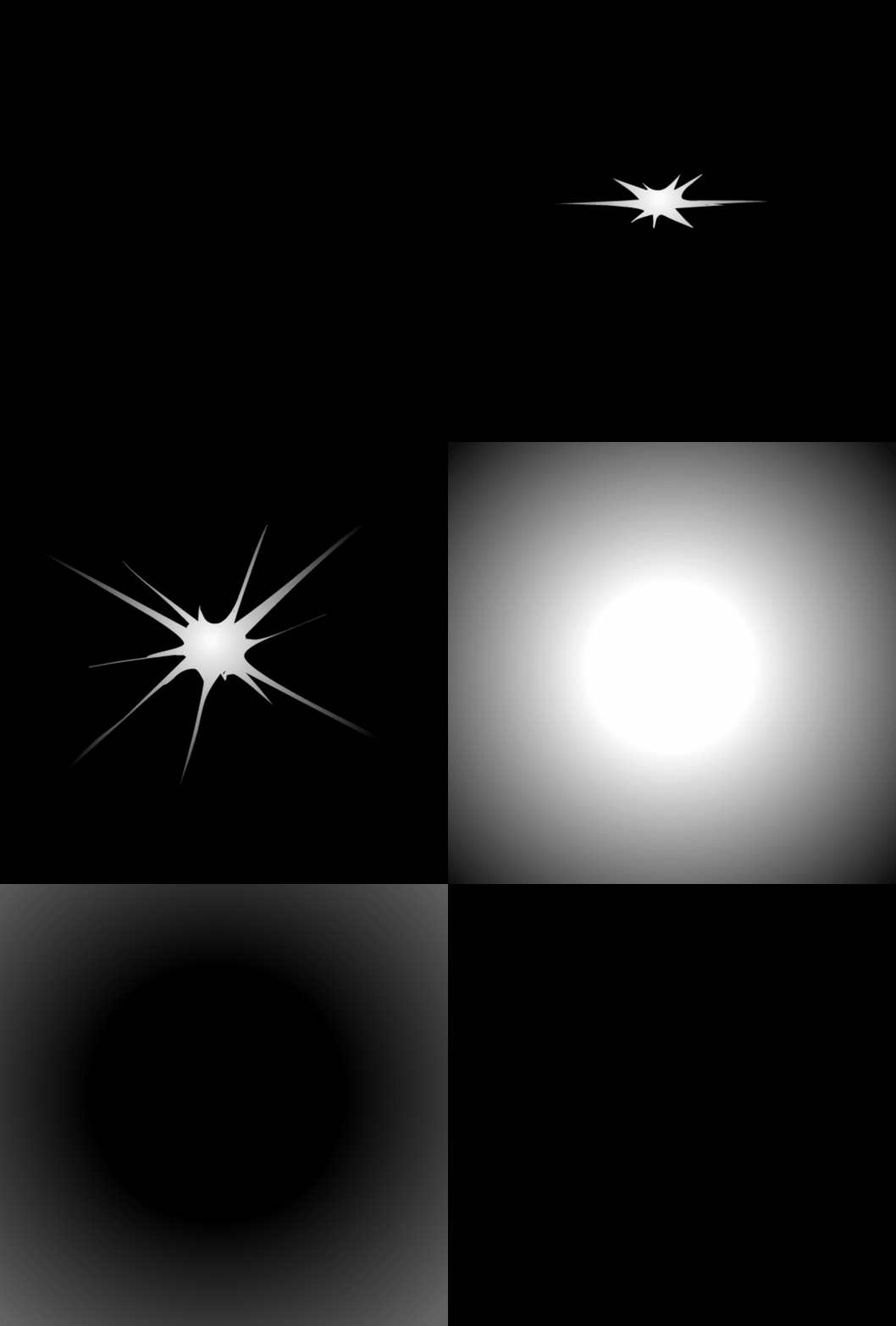
Fig. 5 - No impact flash sequence.. small, medium, big.
Now let's try that again, this time, remembering our standard formula for impact - medium-small-big. Again, "click to play" on the far right to see this one in action.
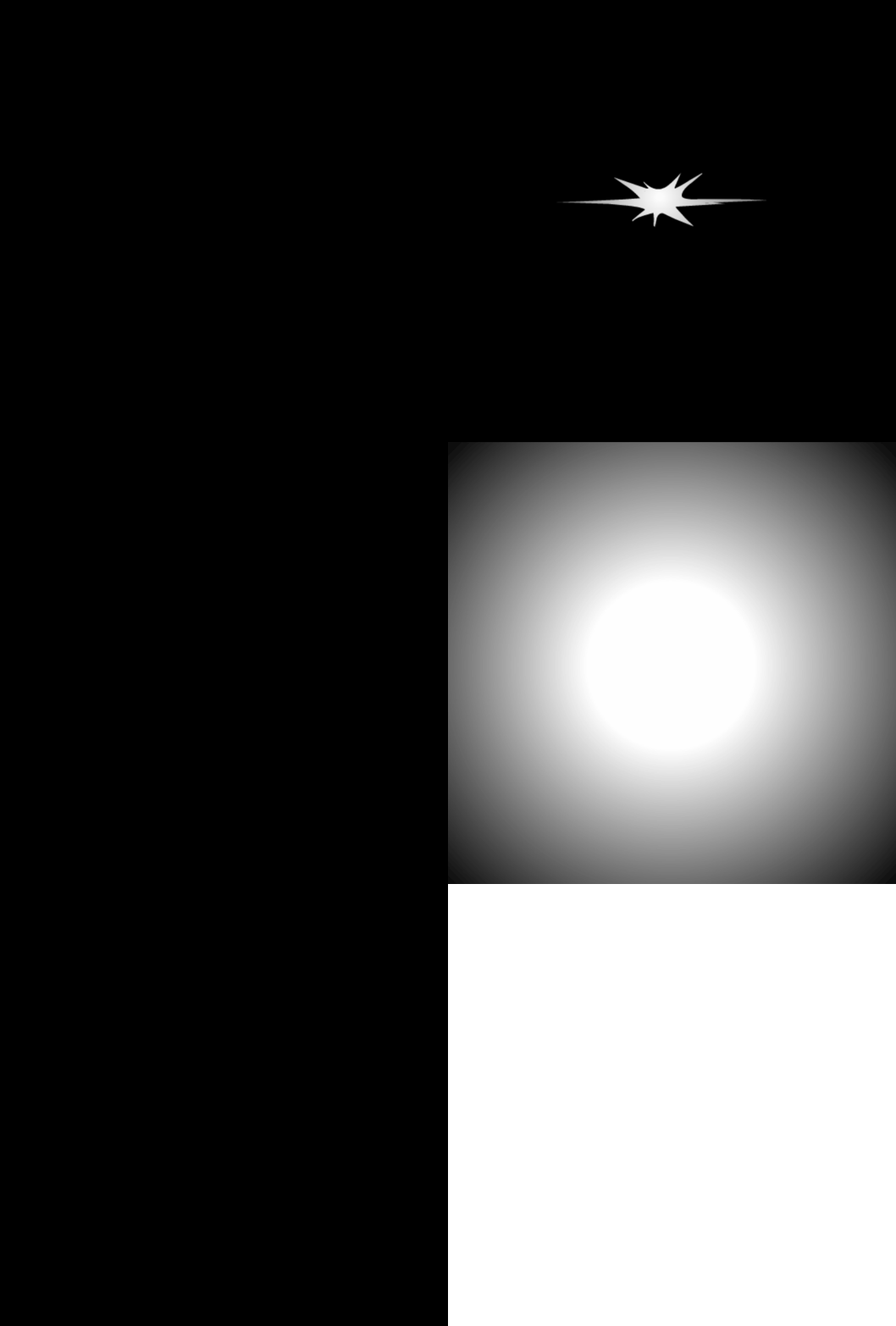
Fig. 6 - Impact flash sequence.. medium, small, big.
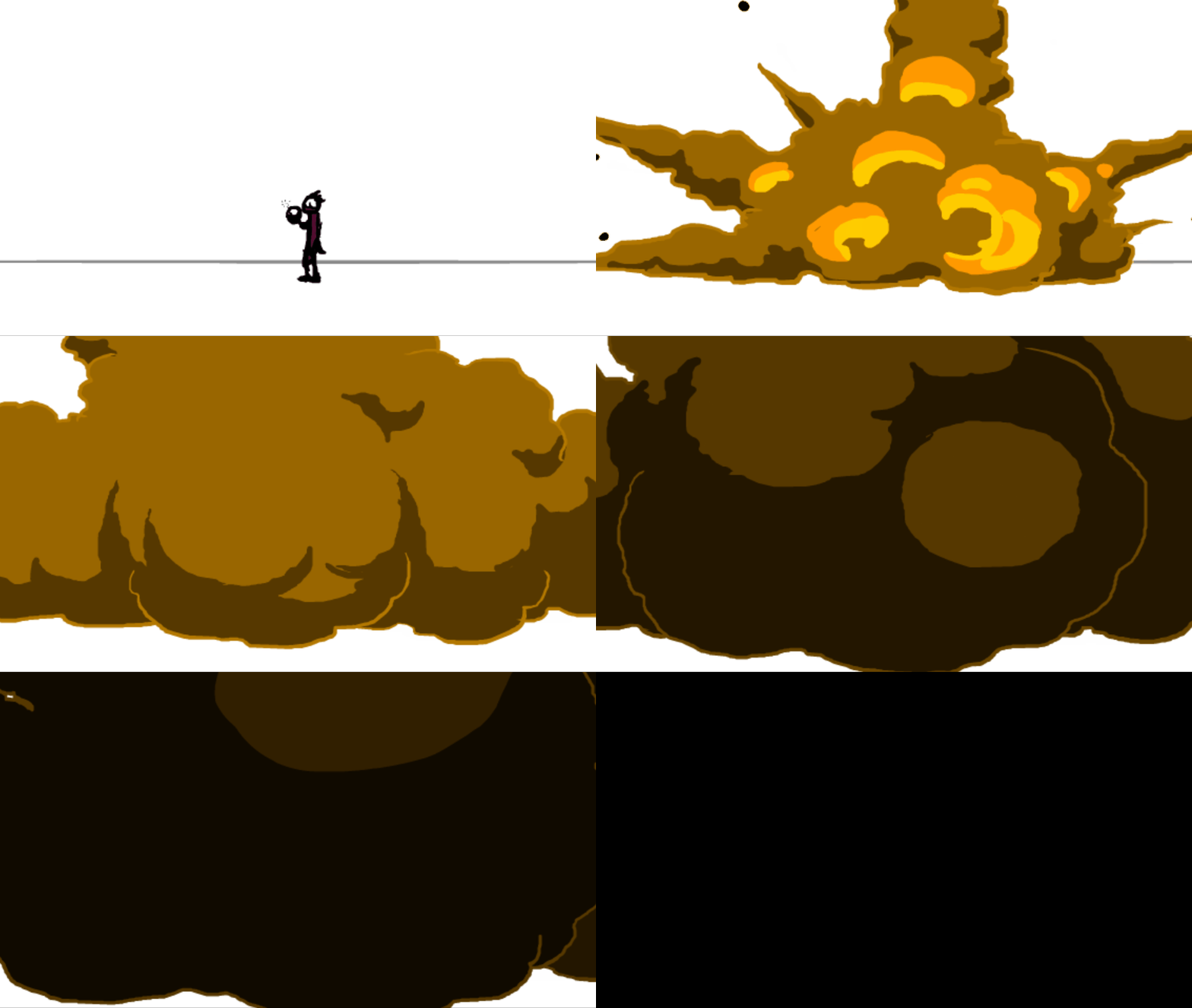
In animation, explosions can basically be timed like big flashes. The formula is pretty much identical to what you've seen above - only with a lot more drawing involved, of course.
The best thing about explosions though, is that you can play with contrasting light & colour, smoke & fire, layering & treatments to get some really amazing stuff happening.
.
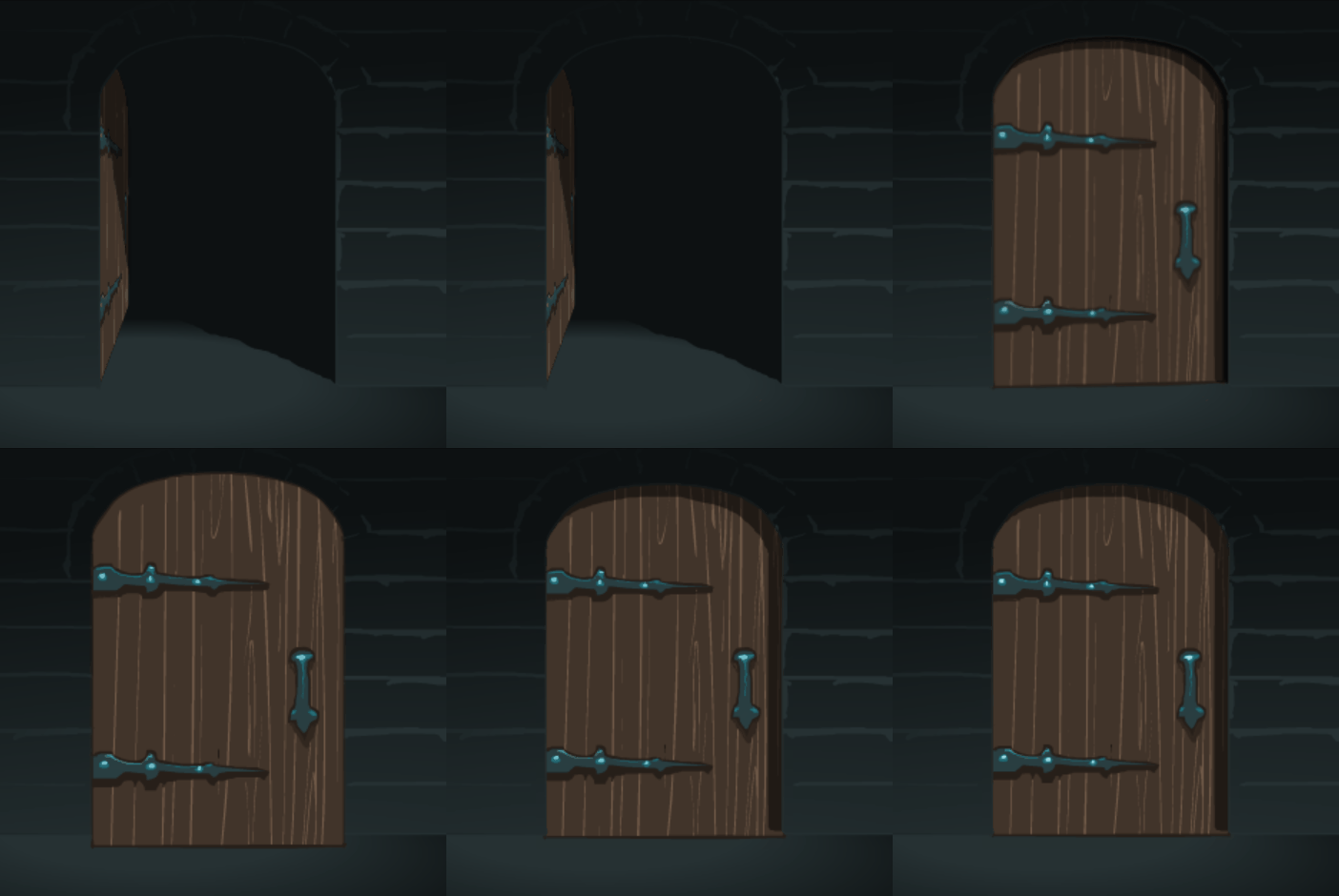
Contrast in animation timing can be applied to anything that moves. A scene of a door bursting open is another situation where the animation can be formulated to give unexpected impact. Likewise though, a door can slam closed and still use similar impact timing.
A big martial arts film fan in my youth, I'll always remember seeing some behind-the-scenes footage of Bruce Lee coaching a couple of stuntmen. He was showing them how they should enhance the impact when he threw a punch at their faces. He demonstrated that they shouldn't just throw their head back with the punch, but whip it from side-to-side! This genius fight choreographer and film maker was using rapid contrast to give extra impact to an on-screen punch.. and if you've ever seen a Bruce Lee film, you'll know that those on-screen hits look very damaging indeed.
It's a bit difficult for me to get a hold of that exact Bruce Lee footage, so let me demonstrate in the video below using a 3D model.
The 3D model in the video above is the Morpheus rig, free for download from the creator, Josh Burton's website.
This fundamental principle of animation is made up of contrasting aspects. Squash is the opposite of stretch, and when used together in quick succession, you can get some very effective animation. It may not be something as obvious as a bouncing ball. Consider a character violently convulsing as he's being electrocuted.. uh, comically, of course!
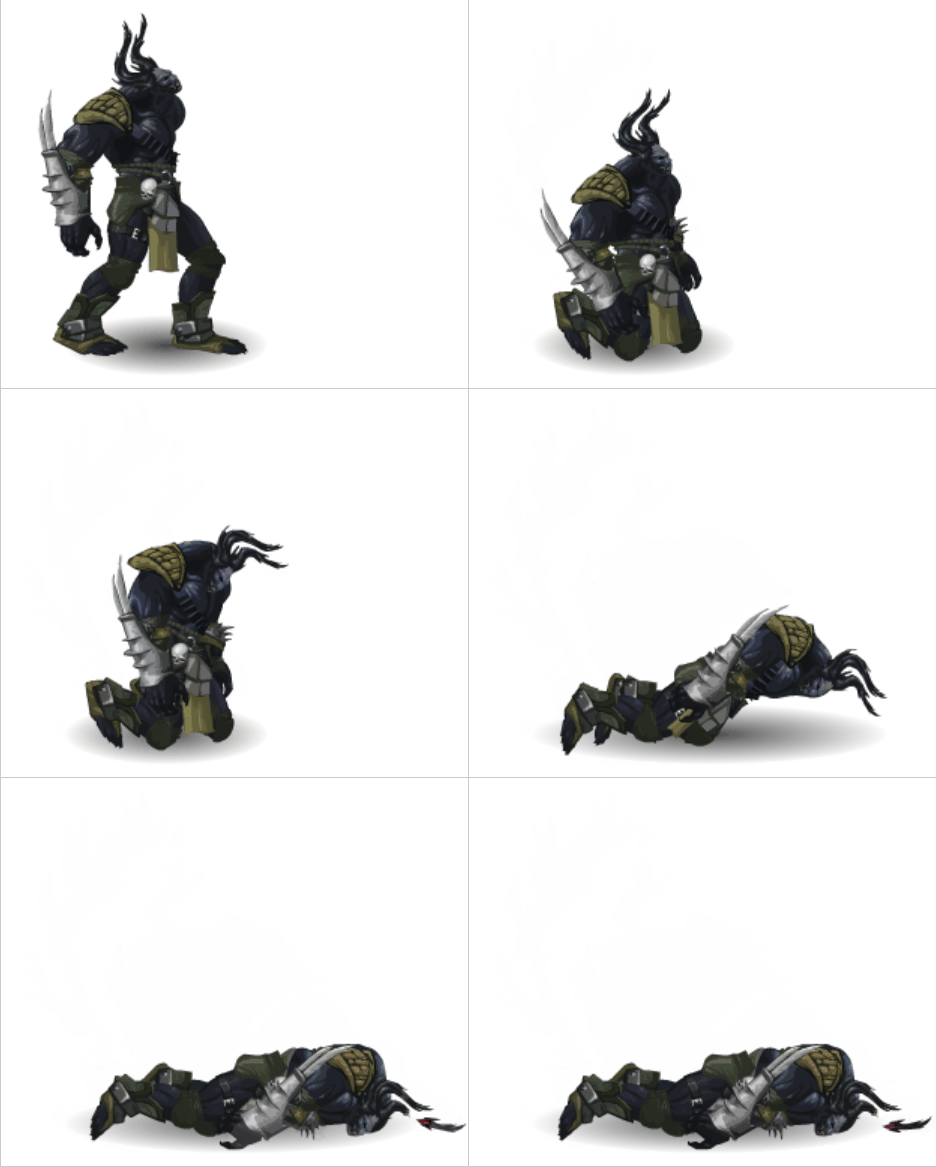 When a heavy monster hits the ground, the body crashes but the smaller
parts, like the head and limbs may bounce with a very quick and subtle
up-down bounce. Those parts are under the brutal influence of gravity,
which in turn makes them feel so much more lifeless.
When a heavy monster hits the ground, the body crashes but the smaller
parts, like the head and limbs may bounce with a very quick and subtle
up-down bounce. Those parts are under the brutal influence of gravity,
which in turn makes them feel so much more lifeless.
The example at left is a death state I did years ago for the social game Dragon Age Legends. You can see how the head has impact when it bounces, not only when he crashes to the ground, but also when he falls to his knees. Just another quick example how this simple piece of timing can add weight and even some comical impact.
Speaking of comical impact, one great example that comes to mind is in The Incredibles. Mr Incredible throws a fist-sized rock at a sentry and the poor guard's head, which incidentally is little more than a silhouette in the shot, wobbles with probably the best, most comedic impact I've ever seen in animation. For me, this sticks in my head as an unforgettable and masterful use of contrast for impact.
"Staggering" animation timing for strain or tension is a very old trick that utilises contrast effectively. It uses contrasting direction for movement. Rapid back-and-forth motion on single frames gives a tensioning effect.
The age-old method of creating stagger timing is to simply create a smooth inbetweened transition first, then simply sequence the drawings in a special way. For example, suppose you create a tug-of-war sequence. As the character pulls gradually on the rope, your drawings are 1, 2, 3, 4, 5, 6, 7, 8, 9. To add stagger timing to this, you would sequence the drawings in a sequence like so: 1, 3, 2, 4, 3, 5, 4, 6, 5, 7, 6, and so on. This is two frames forward, one frame back.
For an auto-tweened scene though, for example in Flash, things are a bit simpler if you use the custom tween graph. Simply create your smooth tween, then stagger the timing in the Custom Ease graph, as in Figure 7.
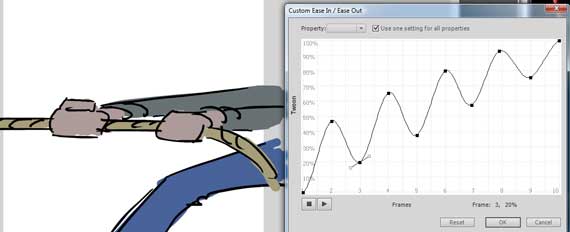
Fig. 7 - staggering a tween using your software's custom ease graph
A camera shake can be used as an unexpected BOOM impact, but is also effective as a gradually building rumble. It uses the same idea of the stagger timing where directional contrast is used to create a rapidly bouncing camera frame that makes the entire scene seem to jitter.
To achieve this effect in animation, you could add a staggered movement to the camera, or a complete random jitter on single frames. This is one you'll need to experiment with, just like the previous stagger example.
The big mistake some animators make with camera shakes is that they're far too violent. A really effective camera shake is a tight one that allows the audience to see what's going on in the scene, without making them feel sick. Too much broad movement of an entire scene is difficult to watch.
Below is just one example of contrasting shapes used in a character to give impact.
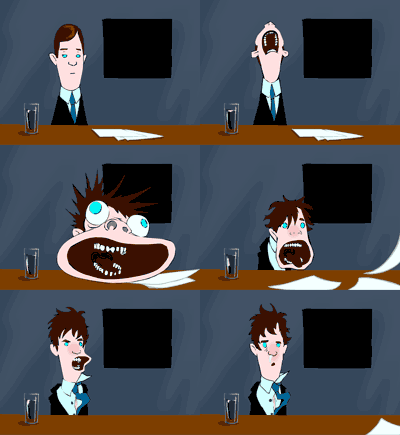
You can see the full animation (it's #8) in my 30 Shorts project below.
If we think of why the formula works, we can find ways to improve, enhance or prolong it. When we ask ourselves "why does it work?" we only need to look at the title of this article. Contrast at high speed gives impact. Rather than just a flicker of lightning, see how it looks if you double... triple... or just go crazy with it and turn it into a strobe!
Exercise
Using a simple flash (as in Fig 5 & 6) design a contrast sequence based on the MSB formula, but enhance it in your own way. Make it no longer than 6-8 frames. Think about why it works, how it can be improved. Test your theories out and refine a formula of your own.
Think about contrast in all aspects of your animation, not only in timing but in other areas like colour, composition, even audio.
Bad contrast can be distracting, while good contrast can add fantastic visual impact. This is something that professionals do exceptionally well, and a carefully planned use of contrast, whether it's in timing or staging, will put your work high up alongside theirs.
Intermediate: Design and animate impact sequences for the following
- Flash of a camera
- Impact of a punch
- Flash and sparks from a blacksmith's hammer onto metal
- Striking flint
- Electrical short-circuit flash before a bigger, more explosive flash of light
As I created a bunch of the examples in Flash, I've included them here. You'll find the following FLA files in the files folder of this Level pack