This is the beginning of Level 10 and as always, we're kicking off with a scene assignment focusing on one or more past articles. The basics of light and shadow construction were covered way back in Lesson 0304 and you learned about a substantial fireplace fire or camp fire more recently in Lesson 0604. You'll be calling on your knowledge and experience with both of these for a lighting scene of relatively complex construction.
At Level 10 you don't need any hand-holding with these particular effects, so there are no lengthy explanations in this lesson. The video below outlines all the needs of the scene and the scene images are provided in the Downloads section below. The rest is up to you!
video 37_firelight
As I touched on in the video above, it's easier to separate the shadows onto their own layers so that they can be animated individually. In some cases you can use a pivot point and animate the skew values (as demonstrated with the chair). In others, the skew technique won't work so you'll need to frame-by-frame the shadow lines.
Figure 1 shows how an animated normal point is the ideal way to construct shadows across the floor.
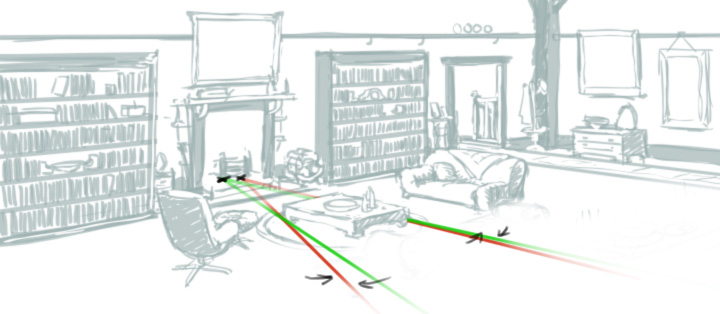
Fig. 1 - Animated normal point for constructing animated shadows
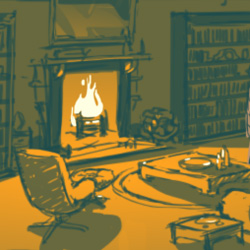
It always makes a complex scene more manageable and much less daunting when you break it down into simpler individual tasks. Whether you animate all the shadows or just one or two, this scene, combined with your fire animation will look great.
If you'd like to take this scene a little further, you could add animated tones to each piece of furniture, and some sharp highlights to the reflective surfaces, like bottles and crockery (see Figure 2).
As always, you'll find all of the images for this scene in the files directory but feel free to create and use your own.